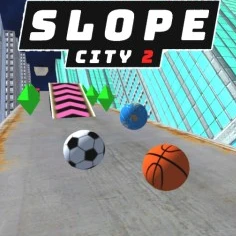
What Is Slope City 2?
Slope City 2 is an exciting browser-based sports game developed by a talented team of game designers. Released in 2023, it features vibrant graphics and physics-based mechanics that create a thrilling experience as players navigate through high-speed tracks. With tournament progression, players can compete for high scores while collecting diamonds to unlock special abilities and customize their balls.
Slope City 2 Gameplay Mechanics
In Slope City 2, players navigate vibrant neon tracks using simple controls that make it easy for everyone to jump right in. The game features automatic ball movement, allowing you to focus on steering left or right with the A/D keys or arrow keys. As you roll through the colorful city, you’ll encounter exciting obstacles and collect diamonds to unlock special abilities and customize your ball.
The gameplay is designed with physics-based mechanics that create realistic ball movement, enhancing the thrill of racing down high tracks without railings. With each run, players experience endless track generation, which ensures that no two runs are the same. As you progress, you’ll face increasing speed and challenges, making quick reflexes essential to avoid hazards and maximize your score.
Collecting diamonds not only boosts your score but also allows for upgrades like shields and magnets, which help protect against obstacles and gather more gems effortlessly. Remember to practice your timing and stay calm while navigating tight spots; patience can lead to higher scores and more fun in this browser-based sports game!
Play Slope City 2 on Any Device
You can play this game directly in your web browser on desktop, laptop, tablet, or mobile.
How to Play Slope City 2: A Beginner’s Guide
Welcome to an exciting adventure! In this game, you control a rolling ball as it zooms down thrilling tracks filled with twists and turns. Your goal is to collect gems while avoiding obstacles, making every run a new challenge!
- Start by pressing the Play button to launch your ball into action.
- Use the left and right arrow keys or A and D to steer your ball around corners and dodge obstacles.
- Keep an eye out for gemstones along the way; collecting them helps you unlock new balls and upgrades!
- The track is endless, so stay focused and react quickly to changes in speed and direction.
- Remember, if you hit an obstacle or fall off the track, your run will end, so be careful!
Mastering Slope City 2 Controls
To navigate through the vibrant tracks of Slope City 2, players can utilize simple yet effective controls. The game allows for both PC and mobile play, ensuring accessibility for all types of gamers.
- PC Controls:
- Steer Left: A Key or Left Arrow Key
- Steer Right: D Key or Right Arrow Key
- Mobile Controls:
- Swipe Left: Steer Left
- Swipe Right: Steer Right
With these controls, players can master their movements and react swiftly to obstacles while collecting gems and diamonds throughout their journey.
Pro Tips to Master Slope City 2
To dominate the thrilling world of this exciting browser-based sports game, follow these expert strategies and watch your scores soar!
- Master Your Controls: Use the A/D keys or left/right arrow keys to steer your ball effectively. Quick reflexes are key to navigating tight corners and avoiding obstacles.
- Collect Gems Early: Focus on gathering gemstones as soon as you start. This will allow you to unlock new balls and upgrade your shields faster, enhancing your gameplay.
- Upgrade Strategically: Prioritize upgrading your shields and magnets. A stronger shield will protect you from instant failures, while magnets help you collect gems effortlessly.
- Experiment with Ball Designs: Try different ball designs to find the one that fits your playstyle best. Each design can offer unique advantages that may suit your racing strategy.
- Stay Calm Under Pressure: Avoid rushing through levels. Patience is essential; take your time to avoid obstacles and maximize your gem collection for a higher score.
- Utilize the Map: Familiarize yourself with the redesigned city map. Knowing where obstacles and gem clusters are located will give you a significant advantage during races.
Key Features That Make Slope City 2 Special
Slope City 2 offers a thrilling gaming experience with its unique features that keep players engaged. From vibrant graphics to exciting upgrades, every element is designed for fun and challenge. Here are the standout features that make this game a must-play!
- Physics-based mechanics for realistic ball movement, enhancing gameplay immersion.
- Endless runner format that allows for continuous play without limits.
- Dynamic scoring system based on distance traveled, rewarding skillful navigation.
- Procedural level generation for unique runs every time you play.
- Redesigned city map that enhances the visual experience and gameplay flow.
- Collect diamonds to unlock special abilities and customize your balls.
- Upgradable shields and magnets to improve gameplay and collect more gems.
- Engaging obstacles that test your reflexes and timing, making each run exciting.
- Exciting new soundtrack that elevates the overall gaming atmosphere.
Play Slope City 2 Online for Free
Experience the thrill of this browser-adapted version, perfect for instant play without downloads. Whether you’re using Chrome, Firefox, Safari, or Edge, you can dive into vibrant graphics and seamless gameplay. Enjoy features like dynamic scoring and endless runner mechanics that keep the excitement alive as you navigate through challenging tracks.
Is Slope City 2 Free to Play?
Slope City 2 offers a completely free online gaming experience with no hidden fees or in-app purchases. All games on this site are accessible at no cost, allowing players to dive into thrilling gameplay without financial commitment. Enjoy the benefits of free play, such as the ability to practice and improve your skills without pressure, making it perfect for casual gamers and competitive players alike.
Play Slope City 2 Unblocked
Yes, play Slope City 2 Unblocked on going-balls.com. Whether you’re at school, at work, or on a break—you can play without any restrictions. Enjoy vibrant graphics and physics-based mechanics that make every run thrilling. Plus, with no download required, you can jump straight into the action!
Slope City 2 on GitHub
No need to search on GitHub, our version works on all devices at school or work. Enjoy seamless gameplay with physics-based mechanics and vibrant graphics, ensuring an engaging experience without the need for additional downloads. Dive into the action and start playing instantly!
Download Slope City 2 (PC, iOS, Android)
Many fans enjoy downloading Slope City 2 for an even smoother experience. Here’s how:
- Android: Open the Google Play Store and tap Install.
- iOS: Open the App Store on your iPhone or iPad and tap Get.
- Slope City 2 APK: Android users who can’t use Google Play can find and download the APK from trusted sites to install offline.
- PC Steam: If you like playing on a computer, download the game for free via Steam and enjoy a bigger screen and controller support.
Slope City 2 Extension
Enhance your gaming experience with the Chrome extension for instant access to Slope City 2. This extension allows you to play seamlessly without interruptions, and it offers the potential for offline modes, ensuring you can enjoy the game anytime, anywhere. With features like improved performance and easy navigation, this tool is perfect for both casual gamers and competitive players.
FAQs about Slope City 2
Is Slope City 2 free to play?
Yes, Slope City 2 is completely free to play. You don’t need to pay anything or register to start enjoying the game!
Can I play Slope City 2 at school? (unblocked)
Yes, you can play it at school if it’s unblocked. Many schools allow access to browser-based games like this one during breaks.
Does Slope City 2 work on mobile/phone?
Yes, it works perfectly on mobile devices. You can enjoy the game on your phone without any issues!
Do I need to download Slope City 2?
No, you do not need to download it. The game is playable directly in your web browser.
Can I play Slope City 2 on Chromebook?
Yes, it runs smoothly on Chromebooks. Just open your browser and start playing right away!
What are the controls for Slope City 2?
You can use the A and D keys or the left and right arrow keys to steer your ball. It’s super easy to control!
Are there special features in Slope City 2?
Yes, there are exciting features like high race tracks and collectible gemstones. These make the game even more fun!
How can I improve my score in Slope City 2?
You can improve your score by collecting gemstones and upgrading your shields. This helps you survive longer and earn more points!
Conclusion
Slope City 2 offers an exciting adventure for kids, blending fast-paced gameplay with vibrant graphics and fun challenges. As players navigate the thrilling tracks, they will enjoy collecting gemstones and unlocking unique balls, making each run a new experience. The game’s easy controls and engaging mechanics ensure that everyone can jump right in and have a blast!
Ready to test your skills? Try Slope City 2 online today and challenge your friends to beat your high scores. The more, the merrier—share the fun and see who can collect the most gemstones!